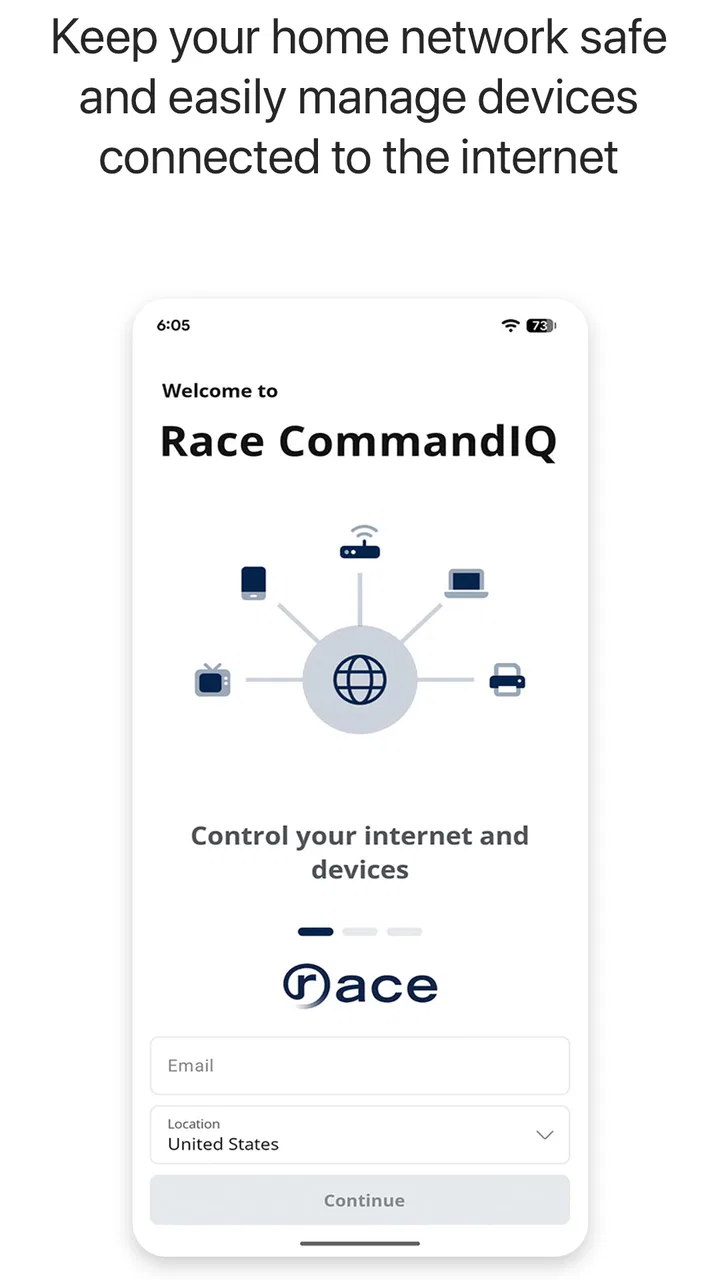
Race CommandIQ
- 3.4
- Rating
- 10.00K
- Installs
- Free
- Price

 Analysis by App-foxy
I would think about Race CommandIQ differently depending on whether I were setting up a home from scratch or trying to make an existing setup less confusing. For a Race Communications household, its strongest role is as a familiar place to begin when a network or connected-home task comes up. For someone without that service, the same provider focus is a reason to look elsewhere rather than a detail to work around.
Before relying on any management app, I would also decide who in the household should have access and what each person actually needs to do. A shared device used for basic checks may be enough for some homes; in others, the person responsible for the network may prefer to keep more involved changes under their own account. Thinking through that division first can prevent the app from becoming another source of confusion.
When comparing it with the usual alternatives, I would separate three jobs: managing the internet service, adjusting individual smart devices, and building automations across brands. A provider-oriented tool is most compelling for the first job and may help with broader household oversight. A router app or a device maker’s own app can still be the more direct choice for detailed controls, while a universal platform is a better fit when cross-brand routines are the main goal.
You May Also Like

 AccuWeather: Weather Radar
AccuWeather Review: A Quick, Clear Forecast for Everyday Decisions
For everyday plans, the best forecast is the one you can understand quickly. AccuWeather makes rain timing, radar, and local conditions easy to act on, with a few trade-offs.

 Hill Climb Racing
Why Hill Climb Racing Still Turns Crashes Into One More Run
A tiny car, a bumpy hill and one more upgrade: Hill Climb Racing keeps resurfacing because its simple chaos makes every near-miss feel personal.

 AliExpress - Shopping App
AliExpress Makes Global Shopping Feel Personal, but Shoppers Bear the Risk
AliExpress turns a global marketplace into a pocket-sized discovery engine. Its reach is useful, its shopping loop compelling, and its trade-offs easy to miss.

 Lords Mobile: Kingdom Wars
Lords Mobile Is a Kingdom-Building Routine, Not a Quick Match
A case-by-case verdict on the building, battles, device demands, and social commitments that make Lords Mobile rewarding for some players and exhausting for others.

 PDF Scanner app - TapScanner
TapScanner Makes Paperwork Easier to Capture, Check, and Share
TapScanner makes scanning with a phone feel less like a rescue operation and more like a dependable step in getting work done. Its capture tools are useful, though not flawless.

 Block Blast!
 Shows How Much a Puzzle Game Can Leave Out
A quiet grid game shows why puzzle players increasingly value instant clarity, repeatable skill and low-pressure play—and where the genre still needs to catch up.
More From Our News Desk
View All News


That distinction is useful when deciding whether to keep the app after trying it. I would judge it by whether it makes a task easier to find, not by how many controls appear on screen. If I still need another app for the actions I perform most often, CommandIQ may remain a secondary shortcut rather than becoming the household’s main dashboard.
My practical test would be to identify one recurring chore—such as checking the home setup before a guest arrives—and see whether the app makes that chore clearer. If it does, it has earned a place even if I open it only occasionally. If the process is harder to understand than the tools already in use, there is little reason to force a change.
That is also why I would avoid making it the only route to managing the home until I had tried it in ordinary conditions. A familiar backup matters when another household member needs help or when the phone used for management is unavailable. Keeping the existing route in mind is a sensible precaution, not a judgment that the app will fail.
For households deciding whether to try it, the key question is not simply whether the download is free. It is whether the Race-connected view is relevant to the equipment and routines they already have. If that match is there, a short, low-pressure trial can answer more than a feature checklist; if it is not, a neutral platform is likely to be a better starting point.
Managing a connected home can sound simple until the controls are scattered between a router app, separate device apps, and the occasional support call. Race CommandIQ is designed to bring that work into one place. I reviewed it as a free House & Home app from Race Communications, and my impression is that its value depends less on flashy extras than on whether your home internet setup fits the service it is built around.
The app is available to everyone in terms of its age classification, runs on Android devices starting with version 5.0, and has reached over ten thousand installs. Its current release is version 26.1.1. Those details make it approachable for people using older Android hardware, although an older phone may still feel slower when switching between account, network, and smart-home screens.
What Race CommandIQ is really useful for
The clearest way to understand Race CommandIQ is as a control point for smart-home management connected to Race Communications. It is not the same kind of general-purpose home automation platform as an app intended to coordinate every brand of bulb, camera, lock, speaker, and sensor in a house. Its usefulness starts with the Race-connected environment, so the first question is not whether it is free, but whether your home service and compatible equipment are part of that environment.
That distinction matters. A free download can still offer limited practical value if you are looking for a universal controller and do not use the related Race service. In my view, the app makes the most sense for an existing Race customer who wants one familiar place to manage the connected-home side of the household rather than collecting several unrelated control apps.
The app has an average rating of 3.6 from around 175 ratings, with roughly 65 written reviews. I would read that as a mixed but useful signal: enough people have tried it to show real interest, but the score does not justify assuming that every setup will feel equally smooth. Internet equipment, account configuration, phone compatibility, and the devices attached to the home can all affect the experience.
Free access does not mean universal access
There is no purchase price attached to the app, which removes an obvious barrier to trying it. That is a meaningful advantage if you already have the relevant Race Communications service and want to see whether a single dashboard improves your routine. You can evaluate the interface without first committing money to the download itself.
At the same time, I would not treat “free” as proof that the whole smart-home experience costs nothing. The app is free to install, while the usefulness of its controls depends on the connected service and equipment available in your home. I also would not use the free price as a reason to replace a working setup immediately. If your current tools already handle the tasks you need, the benefit has to come from convenience and consolidation rather than a direct financial saving.
This is one of the most important value distinctions for Race CommandIQ. The app can be a sensible no-cost addition for the right Race household, but it is not automatically a no-cost alternative to every router, security, or automation product. I prefer that honest framing because it prevents a common mistake: downloading a provider-specific app while expecting it to behave like an open platform.
The everyday scenario where it earns its place
Imagine a household where one person normally handles the home network, while everyone else simply wants the connection and smart devices to work. When a child is studying, a guest is visiting, or someone is working from home, the person managing the household may need a clearer view of the connected setup than a basic phone settings screen can provide. A provider-focused management app can reduce the need to remember which separate tool controls which part of the home.
That is where I see the strongest practical case. Instead of treating smart-home management as a technical project, you can approach it as a household routine: check the available controls, make the needed adjustment, and return to normal use. The value is not necessarily in opening the app every day. It is in having a recognizable place to start when something needs attention.
A less obvious benefit is shared responsibility. If the app presents your Race-connected environment clearly, another adult in the home may be able to handle basic management without learning the full details of the network hardware. That can be more useful than a long list of advanced options that only one technically confident person understands.
Three practical habits that make the app more worthwhile
First, I would install and set up Race CommandIQ before there is a problem. Testing access while the household is calm is much better than trying to learn a new control app during a connection issue or while someone is waiting to join the home network. This also gives you a chance to discover which parts of your setup are visible through the app and which still require another method.
Second, I would use it as a central starting point rather than assuming it replaces every device-specific app. Smart-home products often have their own detailed settings, and a provider-oriented app may be strongest at household-level management. Keeping that boundary in mind avoids frustration when a specialized feature remains in the manufacturer’s application.
Third, I would make the app part of the household handoff process. If one person usually manages the internet service, showing another trusted household member where the important controls live can save time later. This is a small workflow improvement, but it is more valuable than simply installing the app and forgetting it exists.
Where the experience may feel limited
The main trade-off is focus. Race CommandIQ is tied to Race Communications, so it is not the obvious choice for someone who wants one neutral app to combine equipment from many providers. A broad smart-home platform may be better if your priority is extensive cross-brand automation, elaborate routines, or a single control language across a mixed collection of products.
There is also a learning curve created by the relationship between the app and the home service. If you are unsure whether a particular device, account, or network component belongs in the app, the first session may involve more checking than tapping. That is not necessarily a flaw, but it means the app is easier to recommend to a Race customer with a clear home setup than to someone browsing for a general smart-home solution.
The rating suggests another trade-off: the experience may not be uniformly polished for every user. I would keep expectations realistic around setup, navigation, and how quickly the app reflects changes in a particular household. A provider app can be convenient precisely because it knows the service environment, but that same specialization can make it less flexible outside that environment.
Older Android support is welcome, especially for households that keep an older phone as a shared device. Still, minimum compatibility is not the same as a guarantee of a modern feel on every handset. If your phone is old or heavily loaded with other apps, give the interface a practical test before making it the household’s only management route.
How it compares with the usual alternatives
Compared with a router manufacturer’s app, Race CommandIQ may be more natural for a Race Communications customer because it belongs closer to the service relationship rather than only to a piece of hardware. The advantage is a potentially simpler starting point for customers who do not want to identify which equipment brand is responsible for a particular task.
Compared with a manufacturer-specific smart-device app, its likely appeal is consolidation. A dedicated camera, lock, or lighting app may offer deeper controls for that single product, while a provider-centered tool is more attractive when your priority is seeing the home setup from a broader household perspective. I would use the specialized app when I need detailed device controls and Race CommandIQ when I need the service-connected view.
Compared with a universal automation platform, the decision comes down to breadth versus relevance. Universal tools are usually the better direction for a house built around many brands and complex routines. Race CommandIQ is the more sensible experiment for a Race Communications customer who values a straightforward relationship with the home service and does not want to assemble that experience from unrelated apps.
Who should install it, and who should skip it
I would recommend trying it if you already use Race Communications and want a free way to bring smart-home management closer to your everyday internet service. It is especially suitable for households where one person wants clearer control but does not want to become the permanent technical support desk for everyone else.
It may also suit people who prefer a provider-led experience over juggling several hardware brands. The app’s value is strongest when convenience, visibility, and a familiar service connection matter more than deep customization. In that situation, the absence of a purchase price makes testing it an easy decision.
I would skip it if you are not part of the Race Communications ecosystem, or if your main goal is a brand-neutral automation hub. I would also hesitate if your current router and device apps already provide every control you need and you dislike adding another account or management layer. Free software still has a cost in attention, setup time, and household complexity.
My final recommendation
Race CommandIQ is a focused House & Home app rather than a universal answer to smart-home management. I like its basic proposition for the right audience: a free, provider-connected place to begin managing the digital side of the home. The developer, Race Communications, has positioned it for people who want that service relationship reflected in their smart-home controls, and that focus is both its strength and its boundary.
My recommendation is simple: if you are already a Race customer, install it, explore the available controls before you need them, and keep your specialized device apps available for deeper settings. If you are searching for an all-brand automation platform, choose a broader alternative instead. With an average rating of 3.6, I would approach it as a useful convenience worth testing, not as a guaranteed replacement for every tool in your home.
The best reason to use Race CommandIQ is not that it is free; it is that it may make a Race-connected household easier to understand and manage. That is a modest promise, but for the people it fits, modest convenience can be exactly what makes an app worth keeping.
FAQs for Race CommandIQ
01What is Race CommandIQ, and how does it work?
Race CommandIQ is a mobile application designed to enhance your racing game experience by offering real-time analytics and strategy planning tools. It provides detailed race statistics, performance tracking, and personalized coaching insights to help users improve their racing skills. The app syncs with your racing game data to offer tailored feedback and strategies.
02Is Race CommandIQ compatible with all racing games?
Race CommandIQ is compatible with a wide range of popular racing games on both Android and iOS platforms. However, compatibility may vary depending on the specific game version and platform updates. It's recommended to check the app's compatibility list on the official website or app store page before downloading.
03Does Race CommandIQ require an internet connection to function?
While some features of Race CommandIQ can be accessed offline, such as basic performance tracking, the app requires an internet connection for real-time analytics, multiplayer race statistics, and strategy updates. To fully utilize the app’s capabilities, a stable internet connection is recommended.
04Are there any in-app purchases or subscriptions in Race CommandIQ?
Race CommandIQ offers both free and premium features. While the app provides a robust set of tools for free, premium subscriptions unlock advanced analytics, personalized coaching, and ad-free experiences. Users can choose monthly or annual subscriptions depending on their needs and preferences.
05How does Race CommandIQ protect my data and privacy?
Race CommandIQ prioritizes user privacy and data protection. The app uses encryption to ensure that your personal and gameplay data is secure. Additionally, it complies with standard data protection regulations, and users can manage their data preferences within the app settings. For more detailed information, refer to their privacy policy.
Pros
- User-friendly interface for quick navigation.
- Real-time race tracking keeps you updated.
- Customizable alerts ensure timely notifications.
- High-quality graphics enhance visual experience.
- Comprehensive data analysis aids performance.
Cons
- Requires stable internet for optimal performance.
- Can be data-intensive for frequent users.
- Limited offline functionality available.
- Some features locked behind paywall.
- Occasional bugs in newer updates.

Race CommandIQ
Gallery